Hello Ramil,
Thanks for your reply.
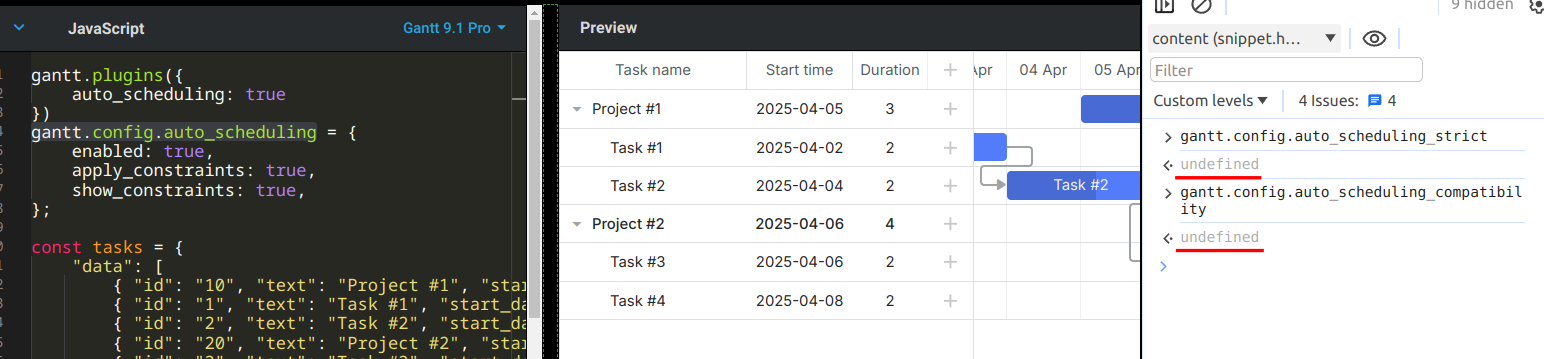
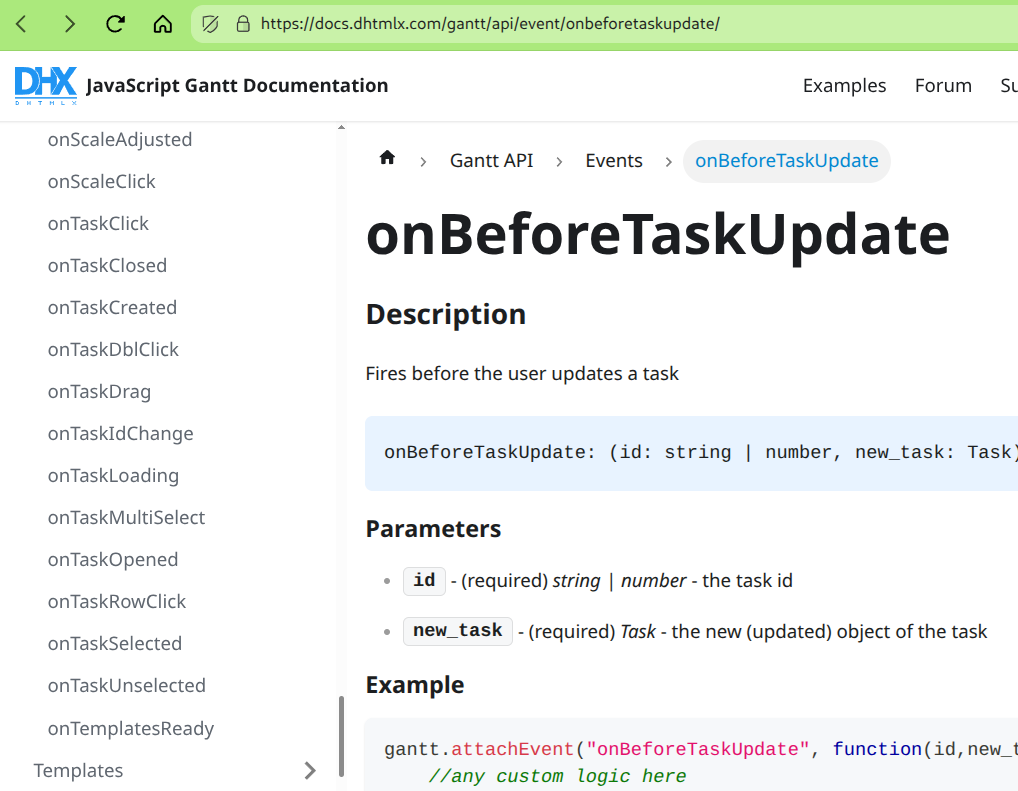
Even after changing the code taking initialization before the load of data it is still not executing OnBeforeTaskAutoSchedule. I am using angular for the same and have current 9.1 version of DHTMLX Gantt chart individual licence. Below is the code after changes
this.initializeGantt();

this.fetchdata('588','589')
}
initializeGantt() {
this._gantt.config.date_format = "%Y-%m-%d";

this._gantt.plugins({
  critical_path: true,
  auto_scheduling: true,
  // tooltip: true
});

this._gantt.config['open_tree_init'] = true;

const holidaylist = ['2025-01-26','2025-03-14','2025-05-01','2025-08-15','2025-08-27','2025-09-02',
                     '2025-09-06','2025-10-02','2025-10-18','2025-10-20','2025-10-21','2025-10-22',
                    //  '2026-01-26','2026-03-03','2026-05-01','2026-08-15','2026-09-14','2026-09-19',
                    //  '2026-09-25','2026-10-02','2026-10-20','2026-11-06','2026-11-08','2026-11-09','2026-11-10'
                    ]
holidaylist.forEach((holidayDate) => {
  const dateParts = holidayDate.split("-");
  const formattedDate = new Date(Number(dateParts[0]), Number(dateParts[1]) - 1, Number(dateParts[2]));

  // Mark the date as a non-working day
  this._gantt.setWorkTime({
      date: formattedDate,
      hours: false // false means non-working
  });
});

this._gantt.setWorkTime({ day: 6, hours: true }); // Saturday (Working)
this._gantt.setWorkTime({ day: 0, hours: false }); // Sunday (Non-working)
this._gantt.config.work_time = true; // Enable work time calculation
//this._gantt.config.highlight_critical_path = true;

this.SetTaskColor()


this._gantt.config.scales = [
  {
    unit: "quarter",
    step: 1,
    format: function (date) { // Middle scale: Quarter (e.g., Q1 2025)
      const quarter = Math.floor(date.getMonth() / 3) + 1;
      const year = date.getFullYear();
      return `Q${quarter} ${year}`;
    }
  },
  { unit: "month", step: 1, format: "%M" } // Bottom scale: Month (3 chars)
];
this.columnsToDisplay()

this._gantt.config.duration_unit = "day";

this._gantt.config.lightbox.sections = [
  {name: "description", height: 38, map_to: "text", type: "textarea", focus: true},
  {name: "time", type: "duration", map_to: "auto"},
  {name: "resolution", height: 38, type: "textarea", map_to: "resolutiondays"}
];

/*this._gantt.templates.tooltip_text = function (start, end, task) {
    const schstartdate = task["schstartdate"]
    const schenddate = task["finish_date"]
    const planstartdate = task["start_date"]
    const planenddate = task["planfinishdate"]
    const closeDate =
      !task["actualfinishdate"] ||
      task["actualfinishdate"] === "1900-01-01" ||
      task["actualfinishdate"].startsWith("1900-01-01")
        ? "-"
        : task["actualfinishdate"];

  return `
    <b>Task:</b> ${task.text}<br/>
    <b>Schedule Start Date:</b> ${schstartdate}<br/>
    <b>Schedule End Date:</b> ${schenddate}<br/>
    <b>Plan Start Date:</b> ${planstartdate}<br/>
    <b>Plan End Date:</b> ${planenddate}<br/>
    <b>Close Date:</b> ${closeDate}<br/>
    <b>Duration:</b> ${task.duration}<br/>

  `;
};*/

this._gantt.templates.task_end_date = (date) => {
    // 1. Subtract the day for inclusive display
    const inclusiveDate = this._gantt.date.add(date, -1, "day");

    // 2. Create a formatting function based on your config
    const formatFunc = this._gantt.date.date_to_str("%d %M` %Y"); //this._gantt.config.date_format);

    // 3. Return the formatted string
    return formatFunc(inclusiveDate);
};

this._gantt.config.auto_scheduling = {
  enabled:true,
  move_projects: false,
  use_progress: true,
  apply_constraints: true,
  show_constraints: true,
  gap_behavior: "compress",
  schedule_on_parse: false
};

this._gantt.autoSchedule();

(this._gantt as any).attachEvent("onBeforeTaskAutoSchedule", (task: any, predecessor:any, link:any) => {
    // If the task has started, don't let the auto-scheduler move it
    console.log("Before",task.text, task.progress);
    if (task && task.progress > 0) {
        console.log("Inside",task.text, task.progress);
        return false;
    }
    return true;
});


this._gantt.init(this.ganttContainer.nativeElement);
}
fetchdata(projectmkey: string,buildingmkey: string) {
this.isLoading = true;
this.ganttchartService.getTasks(projectmkey,buildingmkey).subscribe({
  next: (data: any) => {
    console.log(data);
    this.fullGanttData = data;
    this._gantt.parse(data);

    // --- Add this block to ensure all tasks are open ---
    this._gantt.eachTask((task) => {
      if (this._gantt.hasChild(task.id)) {
        this._gantt.open(task.id);
      }
    });
    // --------------------------------------------------

    // Highlight critical path
    // this._gantt.calculateCriticalPath();
    this._gantt.render();
    this.applyFilter();
  },
  error: (err) => {
    console.error(err);
    this.isLoading = false;
  },
  complete: () => {
    this.isLoading = false;
  }
});
}
Please help.
With Best Regards,
Dewang Bhansali