Hi,
When you are using the title propertie of the Form and use the function hide in a control and after a show on this same control, the form title change your position to the left side.
How solve this?
Best regards,
Fábio Costa
Hi,
When you are using the title propertie of the Form and use the function hide in a control and after a show on this same control, the form title change your position to the left side.
How solve this?
Best regards,
Fábio Costa
Hi @Fabio_Costa,
It’s an issue on aour end, thank you for noticing it. The dev team will try to fix it asap, and I will notify you on any updates.
Currently it can be solved with CSS workaround:
<style>
    .dhx_widget.dhx_form {
        display: inherit !important;
    }
</style>
Here is a demo:
https://snippet.dhtmlx.com/zt1ob1dm
Warm regards,
Hello @Fabio_Costa,
The dev team already fixed positioning issue after control show/hide in the latest release:
You can test it in the following demo:
Warm regards,
Hello. After the 9.3.1 update, which states that the issue has been resolved, a similar problem began to appear. It didn’t used to be like this. For some, it helped, but for others, it broke something that had previously worked perfectly.
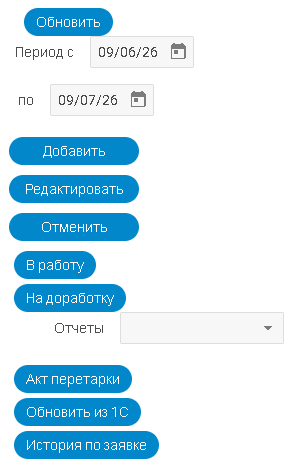
Before show button “Акт перетарки”

After show button “Акт перетарки”
Hello Denis1978,
It seems like a known issue, that affects form styles after the `show` call, and the dev team is already working on a fix.
I will notify you of any updates, and till the issue is fixed, you can avoid it by manually resetting the style, as follows:
document.getElementById("showFixed").onclick = () => {
    email.show();
    document.getElementById("form").firstElementChild.style.display = "";
};
Here is an example:
Warm regards,
Hello Denis1978,
The dev team already fixed the issue with broken elements positioning after the show call in the latest release:
You can test it in the demo below:
Warm regards,