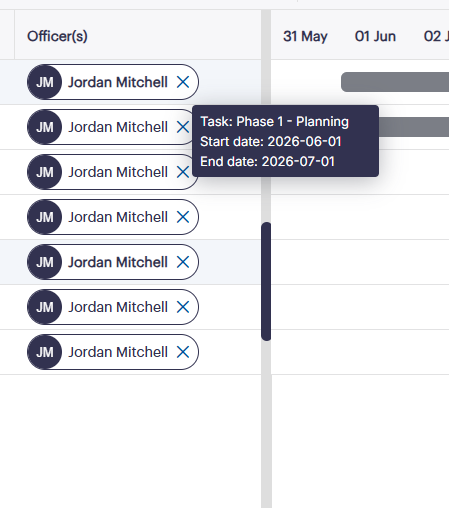
I have used a button element for the ‘X’ icon and attached a click event to it. However, the click event does not fire at all. Double clicking the cell loads the Editor template but single clicks do not register.
Any idea on what must be happening here and how to register clicks on custom elements?
Plus I also use the tooltip plugin for some cells but I don’t want the defafult tooltip to showup everywhere I hover within the gantt. Any method to stop this? As shown in the image when I hover the ‘X’ icon the default tooltip shows which I do not want.
Hello,
It is possible that the click event is called when you click on the x button, but Gantt doesn’t repaint the task. In this case, you need to call the refreshTask method:
If you don’t want to show the default tooltip at all, you can return an empty string in the tooltip_text template:
If that doesn’t help you, probably, you have a different configuration, and it is hard to suggest what might be wrong as I don’t see your code. In this case, I need a ready demo so that I can reproduce the issue locally.
Get a guaranteed answer from DHTMLX technical support team
under the most suitable support plan