gantt.config.layout = {
            css: "gantt_container",
            rows: [
                {
                    cols: [
                        {
                            width: 700,
                            min_width: 700,
                            rows: [
                                {view: "grid", scrollX: "gridScroll", scrollable: true, scrollY: "scrollVer"},
                                {view: "scrollbar", id: "gridScroll", group: "horizontal"}
                            ]
                        },
                        {resizer: true, width: 1},
                        {
                            rows: [
                                {view: "timeline", scrollX: "scrollHor", scrollY: "scrollVer"},
                                {view: "scrollbar", id: "scrollHor", group: "horizontal"}
                            ]
                        },
                        {view: "scrollbar", id: "scrollVer"}
                    ]
                },
            ]
        };
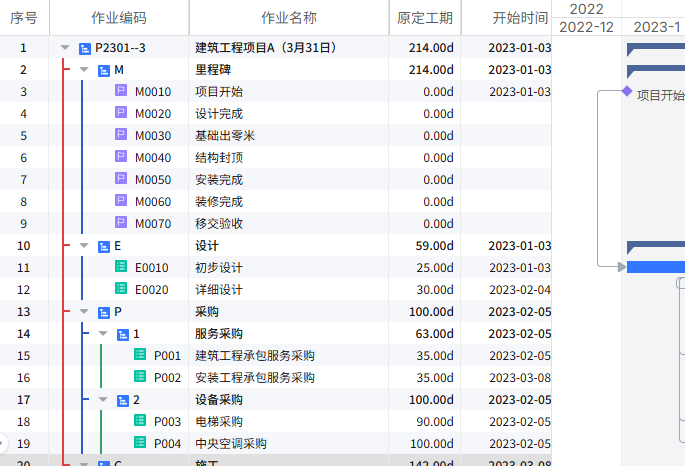
The code above shows my layout configuration. I noticed that when I drag the resizer to the right, the left grid adapts, but when I drag it to the left, the left grid doesn’t resize each column.As shown in the figure.