So I am loading a dozen or so grids on a page via the loadXML command.
I fire off 4 asynchronous loadXML commands at a time and when they are finished I do the next four…
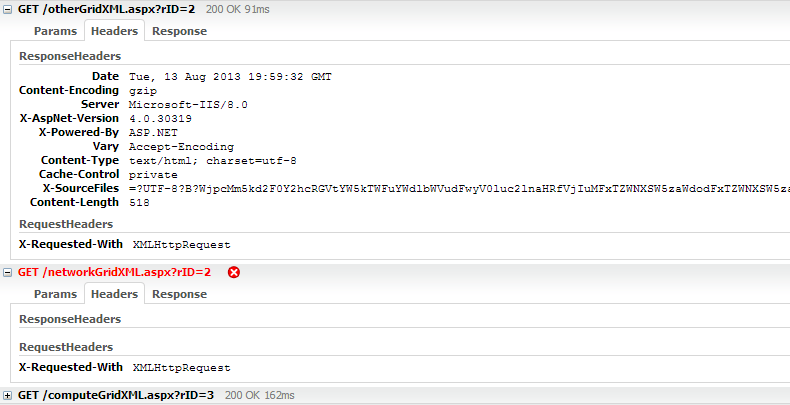
In CHROME a response failure occurs randomly and is hard to reproduce, but once a loadXML request fails to respond properly and then after refreshing the page it will persist and continually fail. Clearing the browser cache fixes the failed response issue though!
I first tried debugging the server side XML generation code, but no request was received when I am getting a load failure client side. I have used fiddler and no request is being sent from Chrome.
Here is the code block I use to call the loadXML function:
        var initialize_grid = function (region_num, type) {
            if (type === "compute" || type === "network" || type === "storage" || type === "other") {
                var grid_id = 'grid_' + type + '_' + region_num;
                var grid = new dhtmlXGridObject(grid_id);
                grids[grid_id] = grid;
                grid.setImagePath("/codebase/imgs/");
                grid.attachEvent("onXLE", function (grid_obj) { remove_spinner(grid_obj); });
                grid.entBox.onselectstart = function () { return true; };
                grid.loadXML('/' + type + 'GridXML.aspx?rID=' + region_num);
            }
        }
I tried using “dhtmlxError.catchError” but I get no response so this is useless. (or request being sent from what I can see…)
So I am guessing this could be a Chrome bug, but was hoping someone on the forum would have some ideas…
Thanks